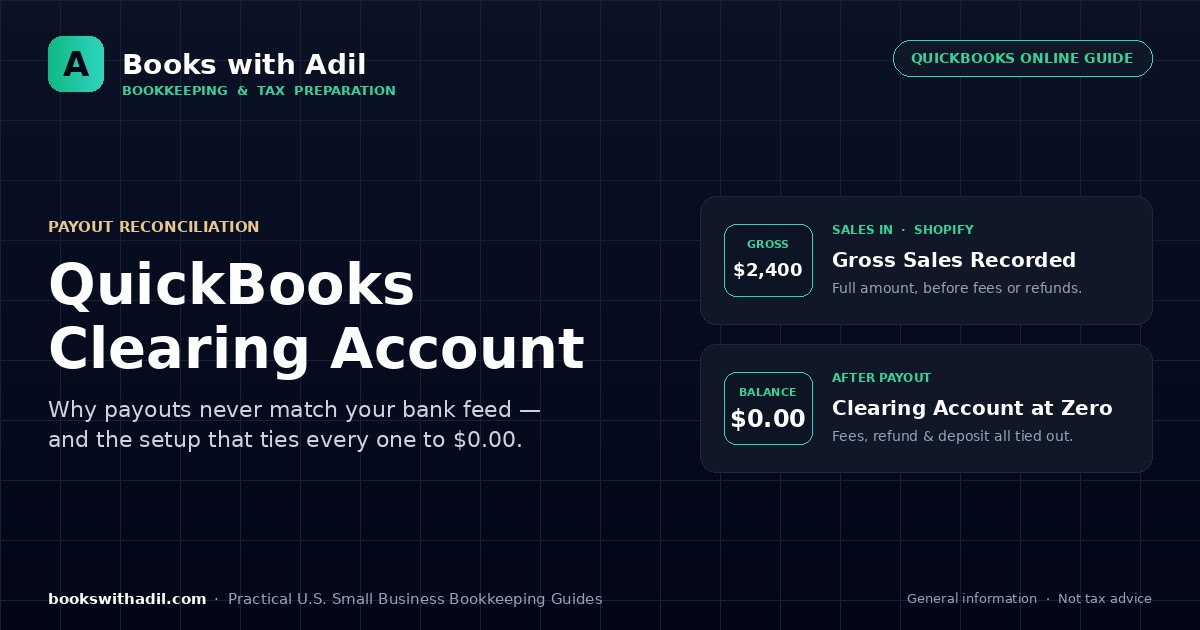
You sold $5,000 through Shopify last week. Your bank account shows a $4,712 deposit. QuickBooks shows a $4,712 deposit too — because that’s what the bank feed pulled in.
So where did the other $288 go? And why does your profit-and-loss report say something different from what your store actually sold?
Nothing is missing. Your payment processor took its fees, refunded one customer, and bundled a week of orders into a single payout. The bank only ever sees what’s left. If you record that deposit as income, your books understate your sales, hide your fees, and make tax time a guessing game.
The fix is a clearing account. It takes about five minutes to set up in QuickBooks Online, and once it’s running, every payout from Stripe, Square, or Shopify ties out to $0.00 (and we’ll cover why PayPal works differently below).
What a Clearing Account Actually Is
A clearing account is a temporary holding account on your balance sheet. Think of it as a waiting room for money that a payment processor has collected from your customers but hasn’t sent to your bank yet.
In QuickBooks Online you create it like any other account: Chart of Accounts → New → Account Type: Bank. Name it after the processor — “Stripe Clearing,” “Shopify Clearing,” “Square Clearing.” One clearing account per processor, never one shared account for all of them.
Money flows through it in three steps:
- Sales go in. Every sale the processor collects is recorded in the clearing account at its full, gross amount.
- Fees and refunds come out. The processor’s fees, refunds, and chargebacks are recorded against the same account.
- The payout moves what’s left to your bank. When the deposit lands, you record it as a transfer from the clearing account to your real bank account.
When the payout is done, the clearing account should read $0.00. That zero is the whole point — it proves the payout is fully accounted for. If it isn’t zero, something is still unexplained, and you can see exactly what.
Why Your Bank Deposits Never Match Your Sales
Four things happen between a customer paying and money reaching your bank:
1. The processor takes its fees first. Stripe, Square, PayPal, and Shopify all deduct their processing fees before they pay you. The bank deposit is always net of fees — your sales were gross.
2. Refunds and chargebacks come out of the same payout. A refunded order reduces the payout, but your original sale is still on your books unless you record the refund separately.
3. Payouts are batched. A processor bundles many orders — sometimes a whole week — into one deposit. The bank feed shows one lump sum with no detail about which orders it covers.
4. Timing and reserves. Payouts usually take 1–3 business days to reach your bank, so a sale made on the 30th may not be deposited until the next month. Some processors also hold back a reserve — a percentage kept aside for a set period — which makes the deposit smaller still.
None of this is an error. It’s how processors work. The clearing account is simply the place where all four of these differences get recorded, so the deposit and the sales finally agree.
A Worked Example: One Shopify Payout, Start to Finish
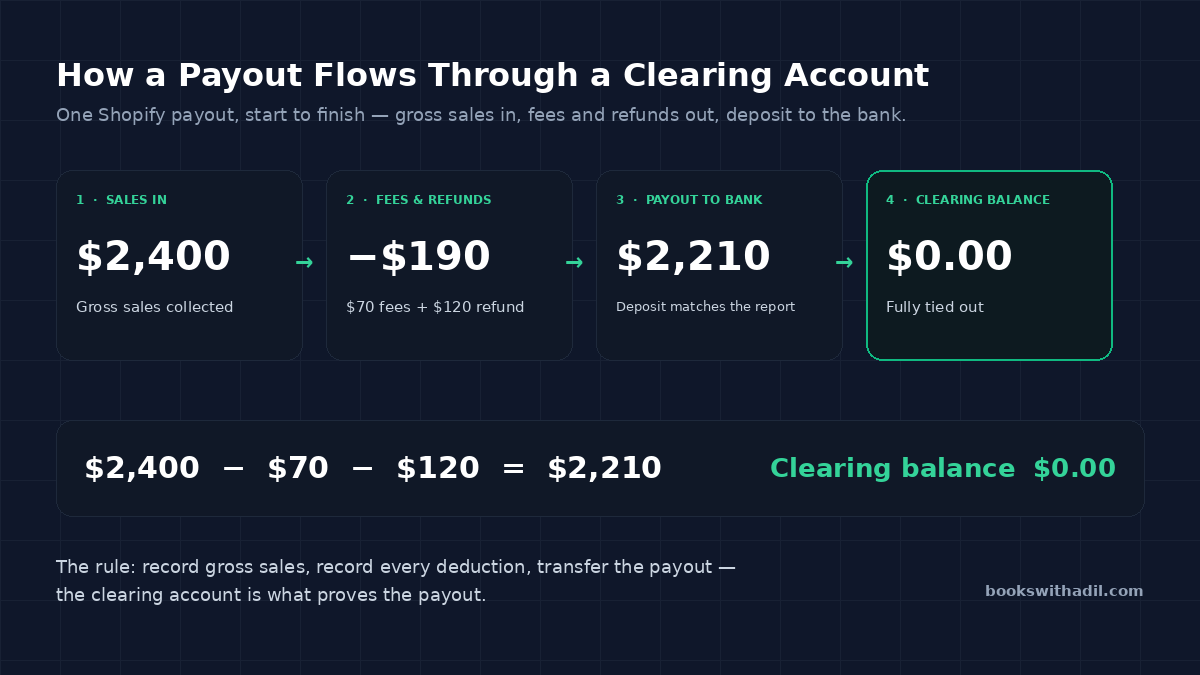
Say Shopify collects $2,400 in orders in one payout period. Here’s what happens, and what your books should show:
| What happened | Amount | Clearing account |
|---|---|---|
| Gross sales collected by Shopify | $2,400 | +$2,400 |
| Shopify processing fees | −$70 | −$70 |
| One customer refund | −$120 | −$120 |
| Payout deposited to your bank | $2,210 | −$2,210 |
| Balance left in the clearing account | $0.00 |
$2,400 − $70 − $120 = $2,210. The deposit matches the payout report exactly, and the clearing account is at zero. Your profit-and-loss report shows the full $2,400 in sales and the $70 in fees as its own expense line — which is what your tax return needs. If you’d recorded the $2,210 deposit as income instead, your net profit would look the same, but your gross sales would be understated by $190—making your P&L disagree with your Form 1099-K and hiding your real processing fees and refund totals.
How to Set Up a Clearing Account in QuickBooks Online
- Step 1 — Create the account. Go to Chart of Accounts → New. Set Account Type to Bank, Detail Type to Checking, and name it after the processor: “Stripe Clearing Account.” Save. Repeat for each processor you use.
- Step 2 — Record gross sales into the clearing account. For each payout period, record the sales at their full amount, with the clearing account as the deposit account — not your real bank account. If you use a sales summary or journal entry, debit the clearing account for the gross total and credit your sales income (and sales tax payable, for any tax collected — that tax is a liability, not income).
- Step 3 — Record the fees. Post the processor’s fees to a merchant fees expense account, reducing the clearing account. One line per payout period is enough; you don’t need a separate entry per transaction.
- Step 4 — Record refunds and chargebacks. Post refunds against a refunds account (and reduce sales tax payable for the tax portion of the refund). Each one reduces the clearing account.
- Step 5 — Record the payout as a transfer. When the deposit appears in your bank feed, don’t categorize it as income. Record it as a transfer from the clearing account to your bank account. The deposit amount should equal whatever is left in the clearing account for that payout.
- Step 6 — Reconcile the clearing account to $0.00. Open the clearing account and reconcile it the same way you reconcile your bank account, using the processor’s payout report as your statement. Reconciling cleared payouts to $0.00 (leaving any month-end in-transit payout uncleared) confirms the payout is fully tied out. Do this every month, for every processor.
What a Leftover Balance Means
If the clearing account doesn’t hit zero after a payout, it’s telling you one of three things:
- A payout is still in transit. A sale at month-end that the processor hasn’t paid yet. The balance should equal exactly the payouts still on their way — check the processor’s payout report to confirm.
- A fee, refund, or reserve wasn’t recorded. Compare the payout report line by line. The difference is usually one missing line.
- A sale was recorded twice. The most common version: the bank feed deposit was added as income and the sales were already recorded through the clearing account. If you see the same sale in two places, the deposit-as-income entry is the one to remove.
A small leftover balance that you can name is fine. A balance that grows every month, with no explanation, is a cleanup problem — the kind that turns into a mess at tax time. If your books already look like that, that’s what a catch-up cleanup is for.
PayPal Works Differently — Treat It Like a Bank Account
PayPal is the one exception to the pattern above. With Stripe, Square, and Shopify, money passes through on its way to your bank. With PayPal, money can sit in your PayPal balance for weeks — and you can spend directly from it.
So don’t run PayPal through a clearing account. Set PayPal up as its own bank account in QuickBooks Online and reconcile it to the PayPal monthly statement, exactly the way you reconcile a checking account. Sales land in PayPal, fees come out of PayPal, and transfers to your bank are transfers between two bank accounts.
Four Mistakes That Break the Whole System
1. Recording the bank deposit as income. This is the big one. The deposit is what’s left after fees and refunds — recording it as sales understates your gross revenue, hides your fee and refund totals, and creates a mismatch with your Form 1099-K. If your books have months of deposits categorized as income, that’s one of the signs your QuickBooks needs a cleanup.
2. One clearing account for every processor. When Stripe, Square, and Shopify all share one account, a leftover balance can’t be traced to any of them. One account per processor keeps each payout provable on its own.
3. Recording net sales instead of gross. If you only ever record what the processor paid you, your sales are understated and your fees vanish. Gross sales in, fees out, every time.
4. Never reconciling the clearing account. An unreconciled clearing account is just a junk drawer. The monthly reconcile-to-zero is what makes the system work — five minutes per processor, once a month.
Frequently Asked Questions
Do I need a separate clearing account for each payment processor?
Yes. One per processor — Stripe Clearing, Square Clearing, Shopify Clearing, and so on. Each payout report is separate, so each clearing account reconciles against its own report. Sharing one account across processors makes a leftover balance impossible to trace.
Does a clearing account change my profit and loss?
No. A clearing account sits on the balance sheet, not the profit-and-loss report. Your sales still show as income and your fees still show as an expense — the clearing account just holds the money in between, so the timing and the totals stay accurate.
What if my clearing account never reaches zero?
Find the difference in the payout report. It’s usually a payout still in transit, a fee or refund that wasn’t recorded, or a sale recorded twice (once through the clearing account and once as bank-feed income). A balance you can explain is fine; a balance that grows every month needs a cleanup.
Can I use a clearing account for payroll or direct deposit?
Yes, the same idea works anywhere money passes through a middleman — payroll runs, vendor direct deposits, or third-party payment services. Create a separate clearing account for it, post the payments in and the bank withdrawals out, and reconcile it to zero.
What about sales tax collected through Shopify or Stripe?
Sales tax your customers paid is part of the gross amount in the payout, but it’s not your income — it’s a liability you owe to the state. Record it to Sales Tax Payable when you record the gross sales, and reduce it for the tax portion of any refund. That keeps your sales tax filings tied to your actual collections.
When to Get Help
A clearing account is simple to set up and simple to keep — once it’s running, it’s five minutes a month per processor. But if your books already have months of deposits recorded as income, fees buried inside lump deposits, or a clearing account with a balance nobody can explain, the fix is a cleanup first and a system second.
That’s the work monthly bookkeeping covers: payouts reconciled to zero every month, fees and refunds recorded where they belong, and sales tax tied to what was actually collected. It matters most for ecommerce sellers, where four processors and a marketplace can mean five payout reports a month — and where the books are usually the last thing anyone has time for.